Reserve Study Platform.
Professional tools and expert guidance.
FJ Strategic Reserve Study Platform
Professional reserve studies in hours, not weeks.
The FJ Strategic platform combines Current, Full, and Threshold funding models, AI-assisted photo documentation, component notes, and a professional report generator in one cloud-based reserve study workflow.
Built for reserve study professionals, property managers, and HOA boards that need accurate reserve planning, faster updates, a Master Component List, and polished deliverables without stitching together spreadsheets, folders, and separate document tools.
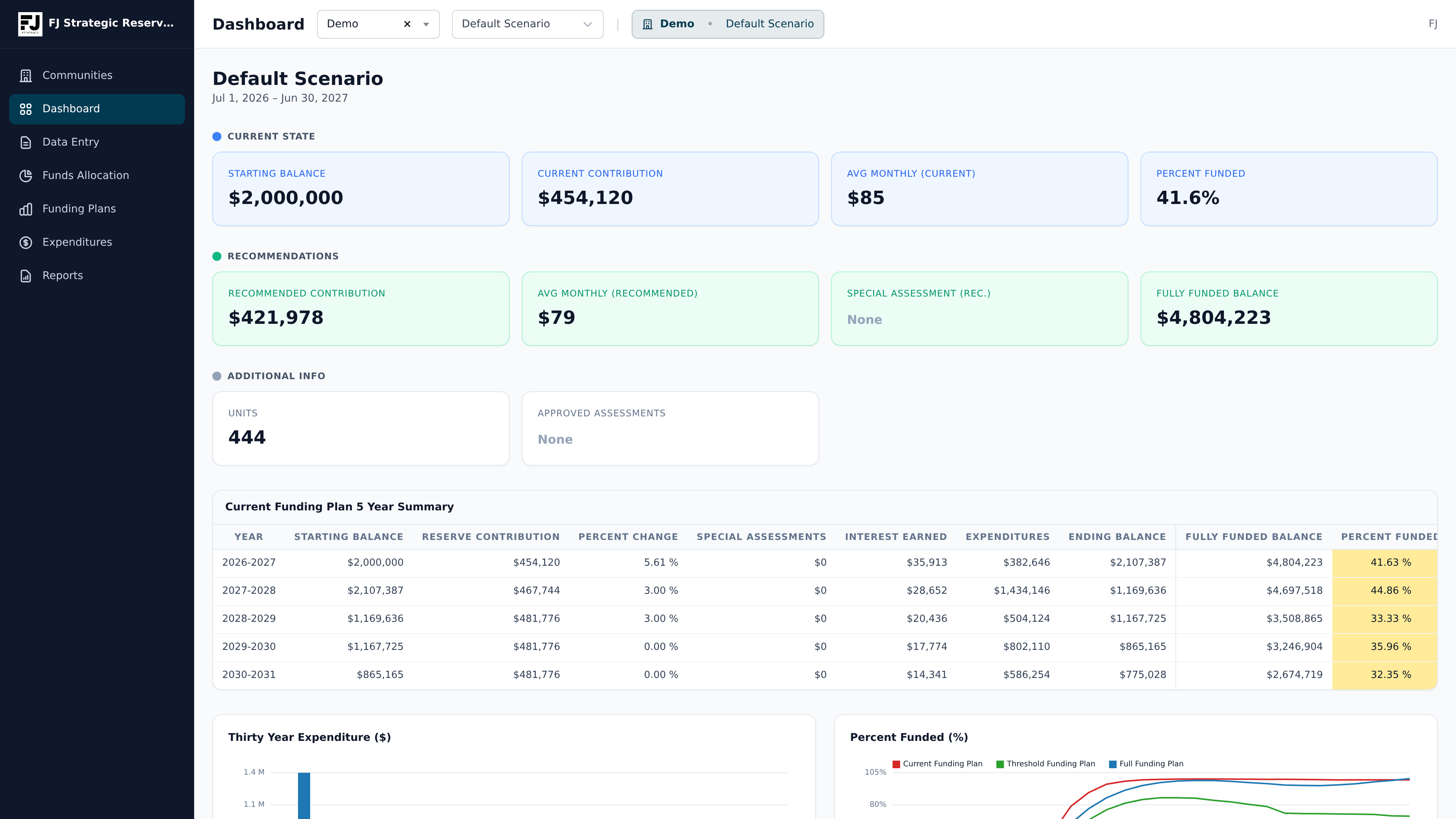
What the sample report includes.
This section now uses pages rendered directly from the sample reserve study PDF. Each preview shows an actual page from the finished report, with a short explanation of what the section is meant to communicate to boards, managers, and reviewers.
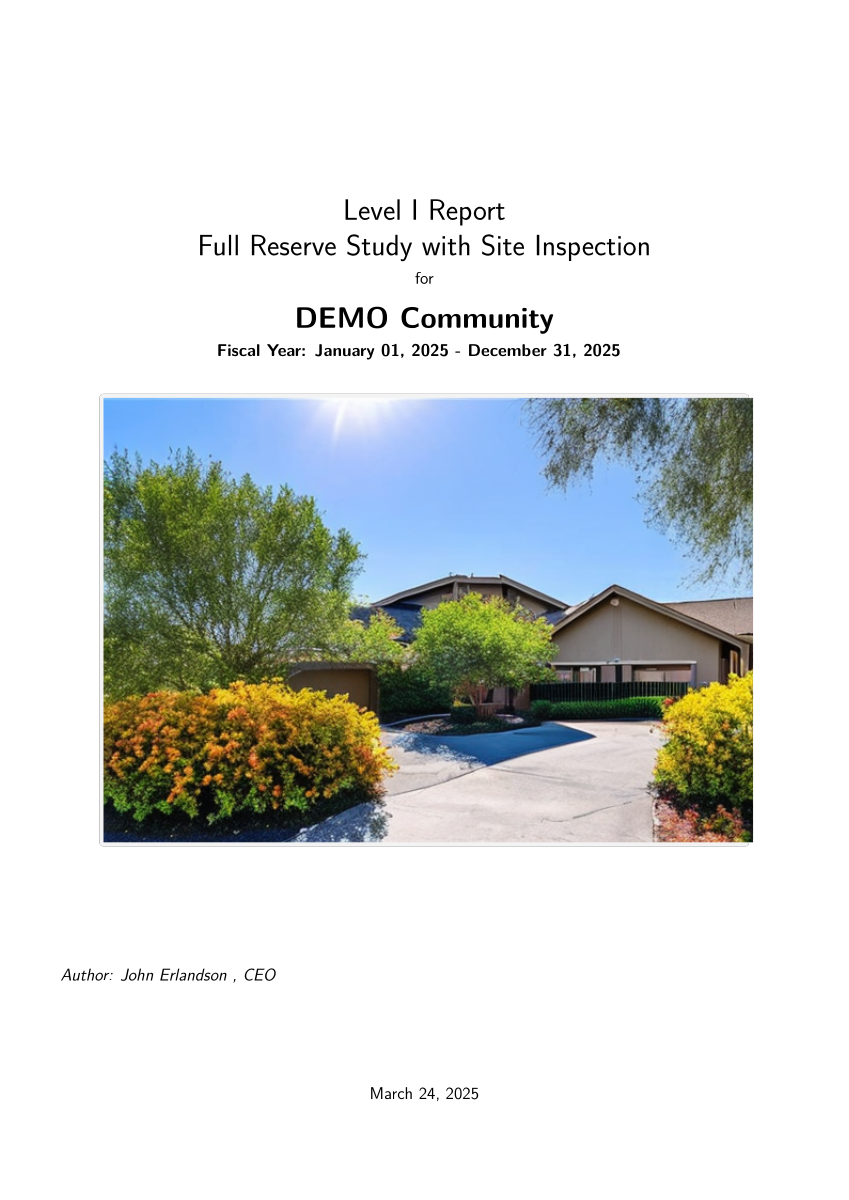
Report cover and study scope
The opening page establishes the report level, fiscal year, property name, site inspection scope, and professional presentation. It immediately tells the reader what kind of reserve study they are reviewing.
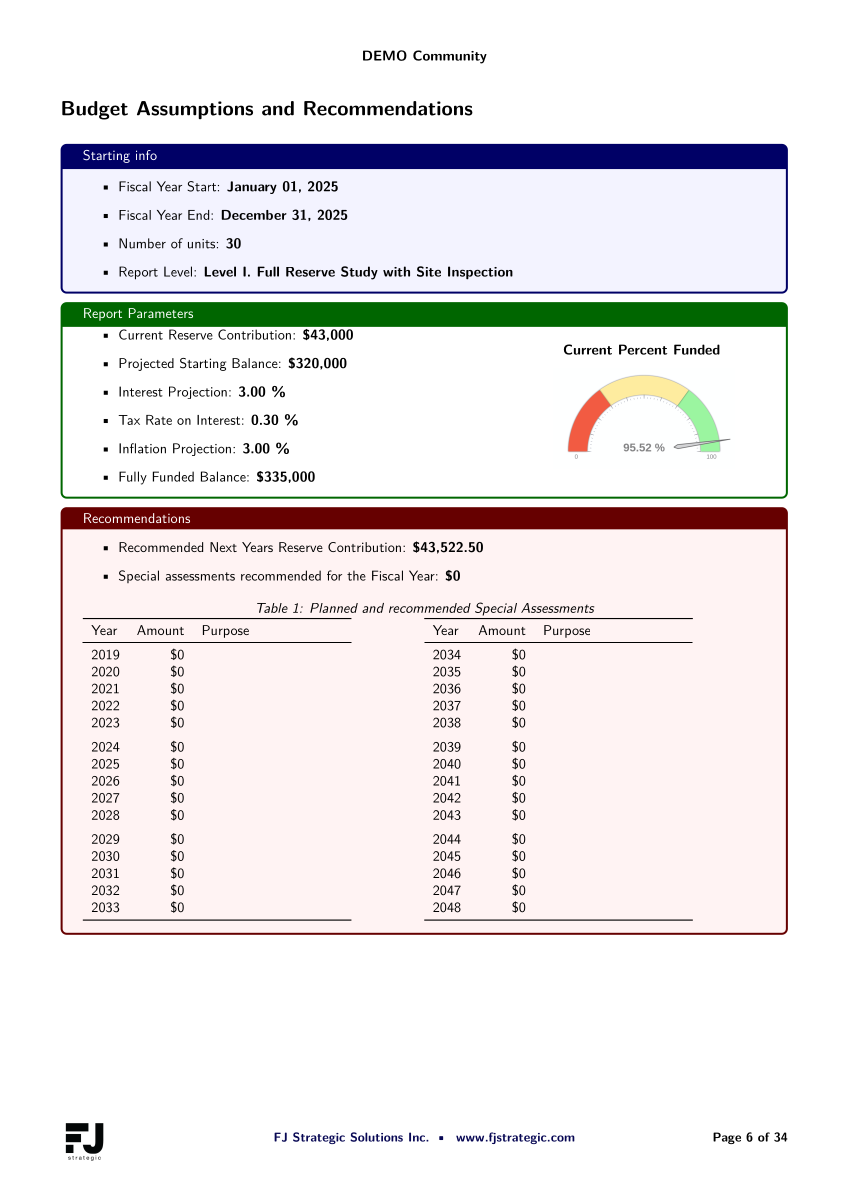
Budget assumptions and recommendations
This section summarizes the starting balance, contribution assumptions, inflation, interest, number of units, and recommended funding direction so stakeholders understand the baseline before reviewing the long-range schedules.
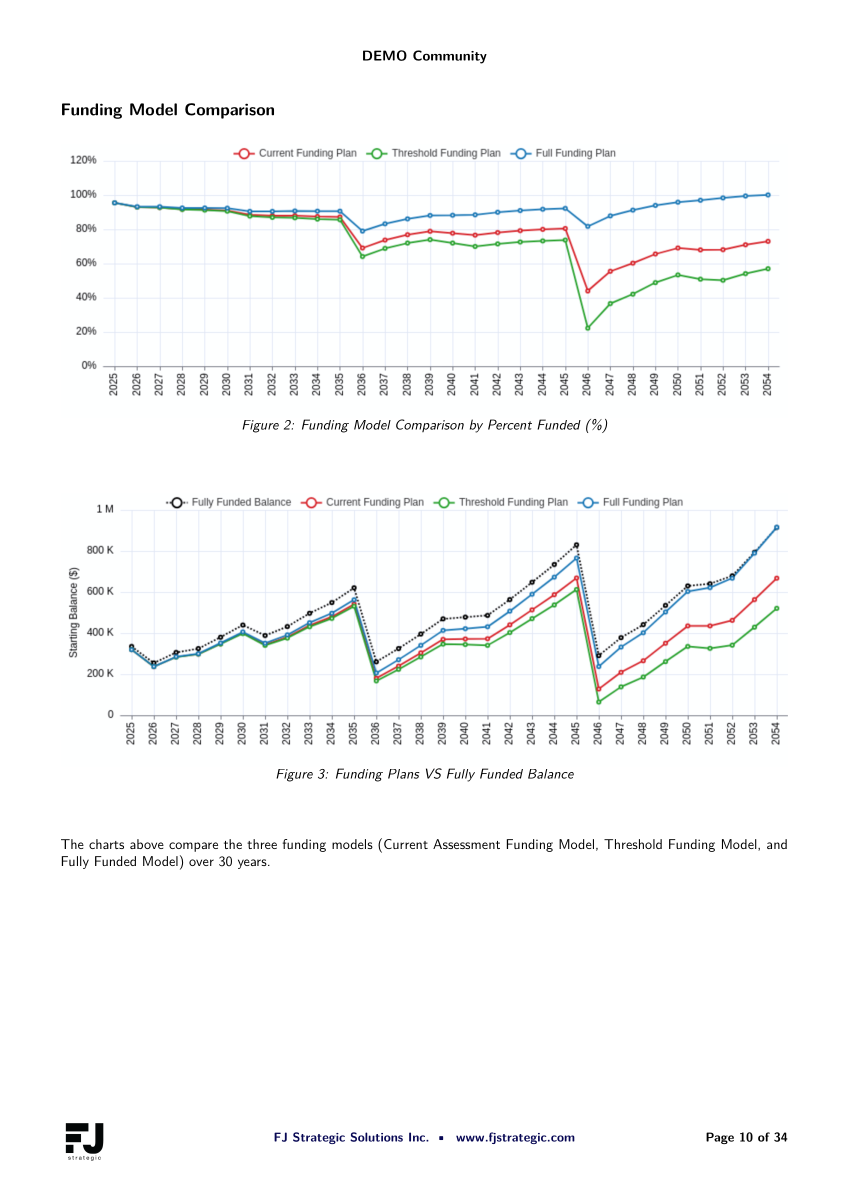
Funding model comparison
The report compares Current, Threshold, and Full funding models over 30 years, showing percent funded trends and projected reserve balances against the fully funded balance.
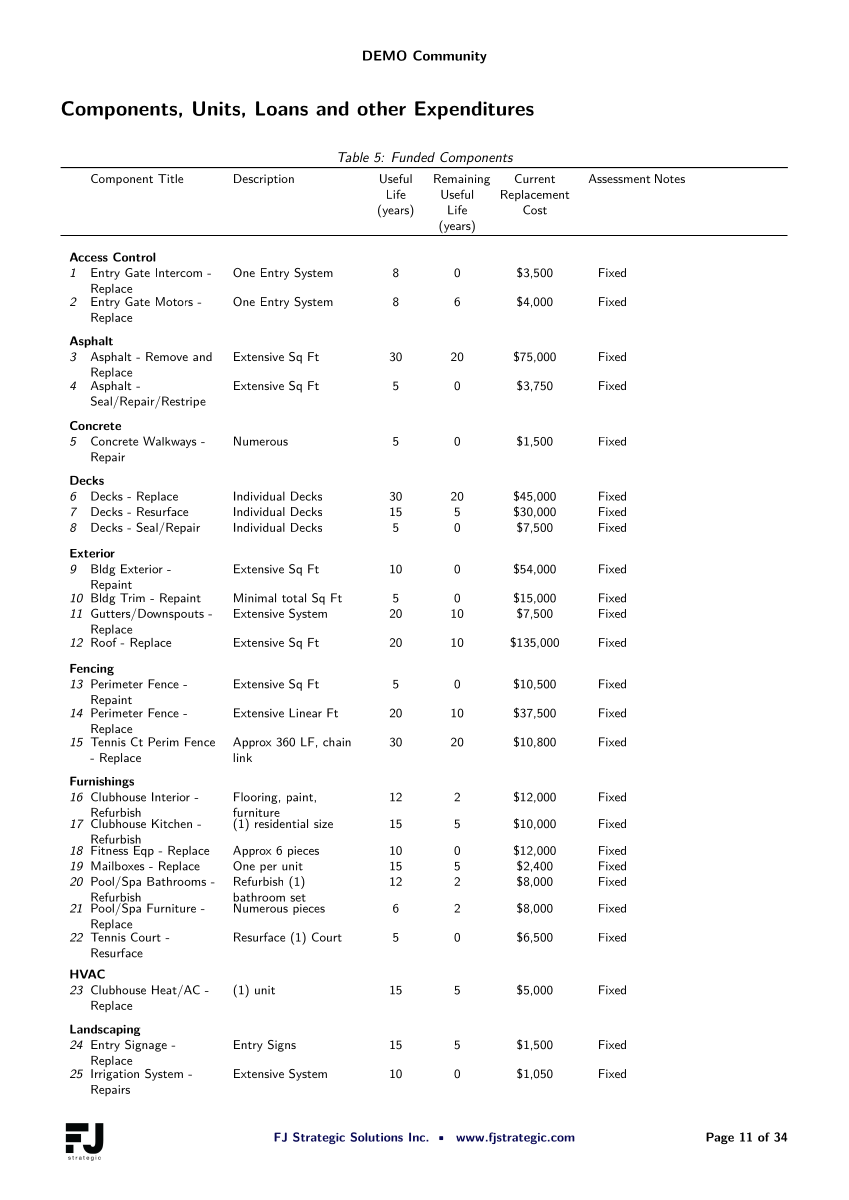
Funded component list
The component list connects the financial model back to the physical assets. Each reserve item can be reviewed by category, useful life, remaining life, cost, and funding impact.
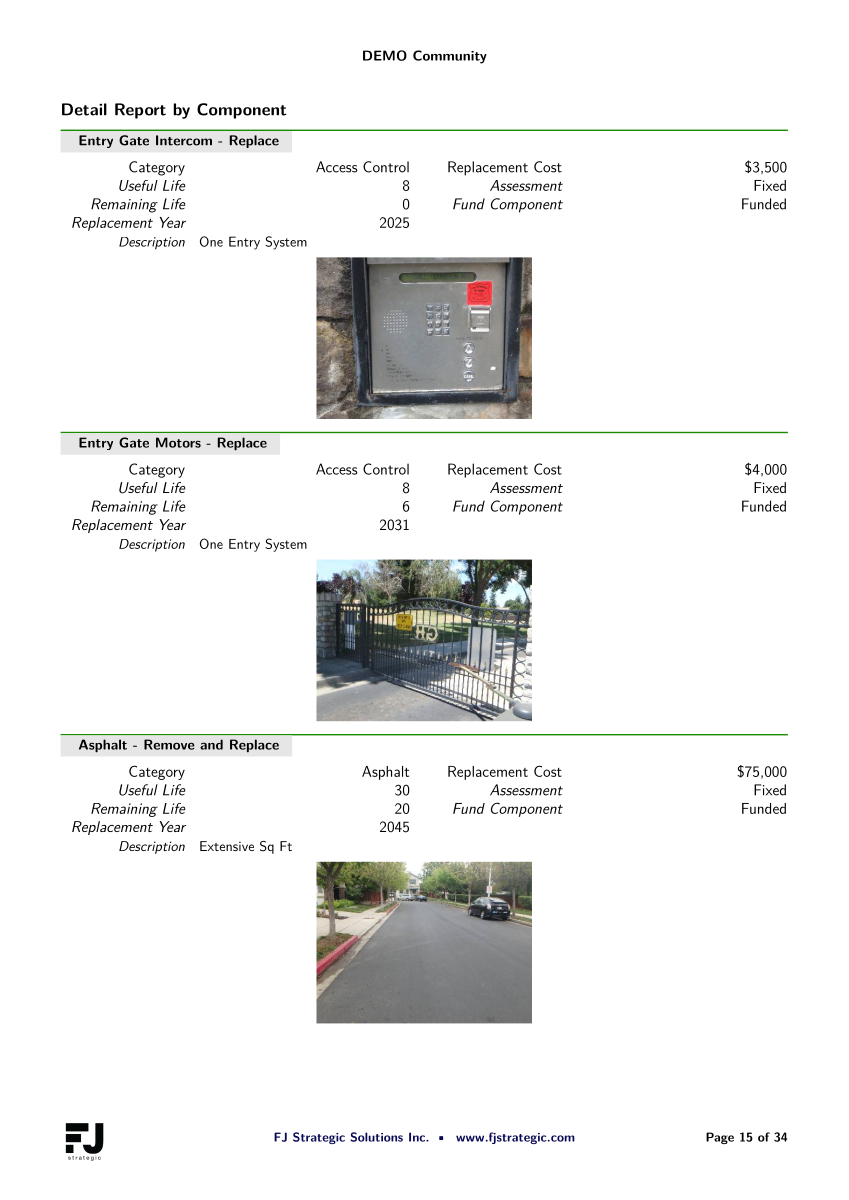
Component detail narratives
Detailed component pages give boards the support behind each reserve item, including category, service timing, replacement year, cost basis, and explanatory notes for the recommendation.
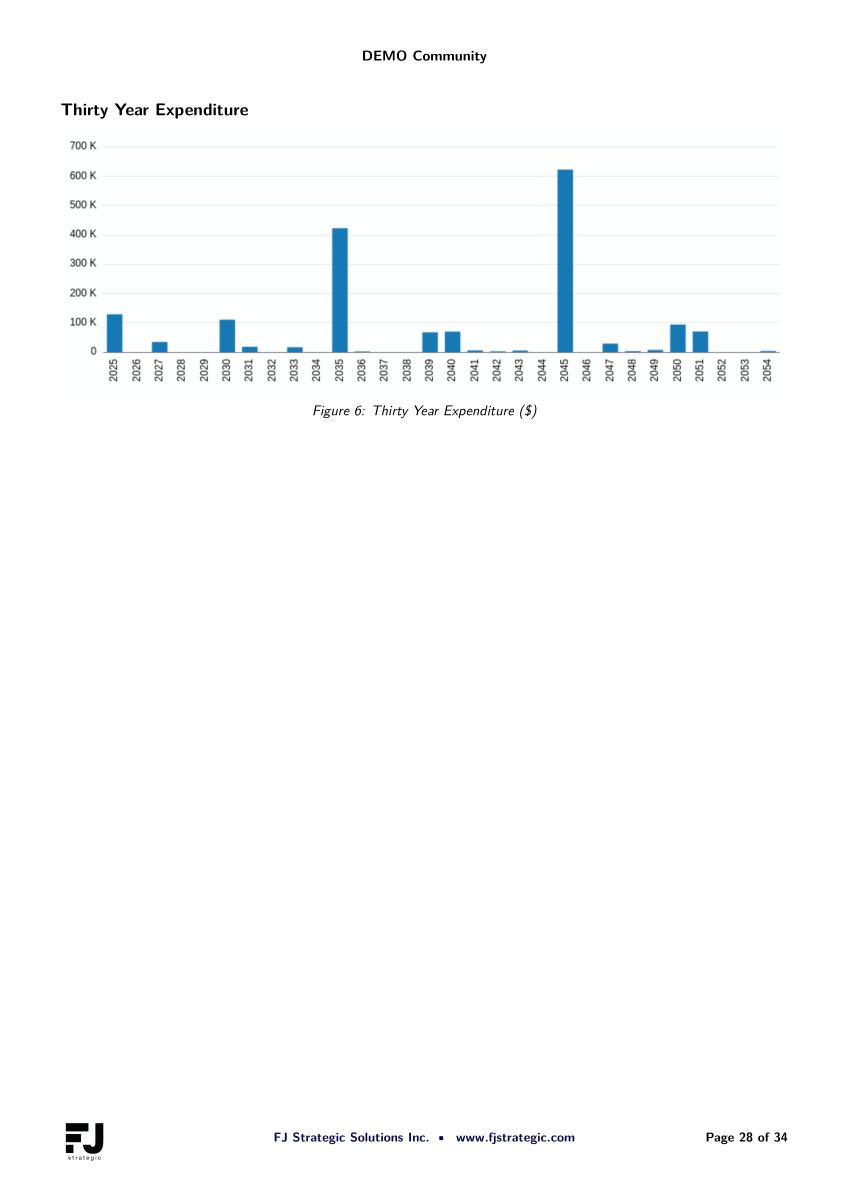
Thirty-year expenditure chart
The long-range expenditure exhibit shows when major reserve costs are expected to occur, helping the board understand future pressure points before they become emergency assessments.
Open the full sample PDFs
The buttons open the original PDF files in your browser for full-document review. Use the section guide above for a faster on-page preview of what each report area means.
Platform Features
Core tools every workflow builds on: component data, funding models, dashboard recommendations, report outputs, and image support.
Dashboard Recommendations
Review reserve health, recommendations, and per-unit or per-month contribution views from one dashboard.
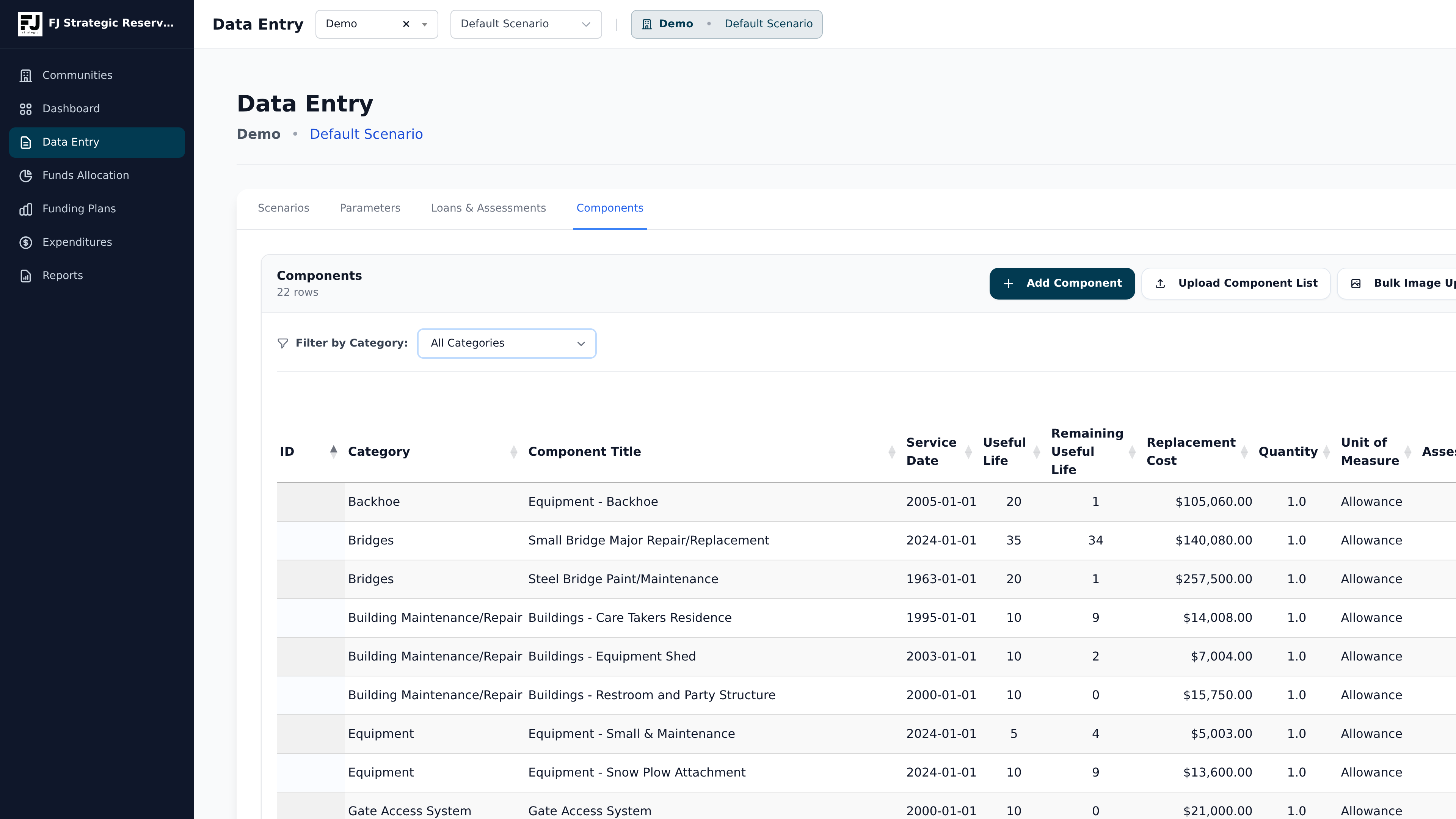
Component List
Maintain each community reserve component with service dates, useful life, remaining life, replacement cost, quantities, and notes.
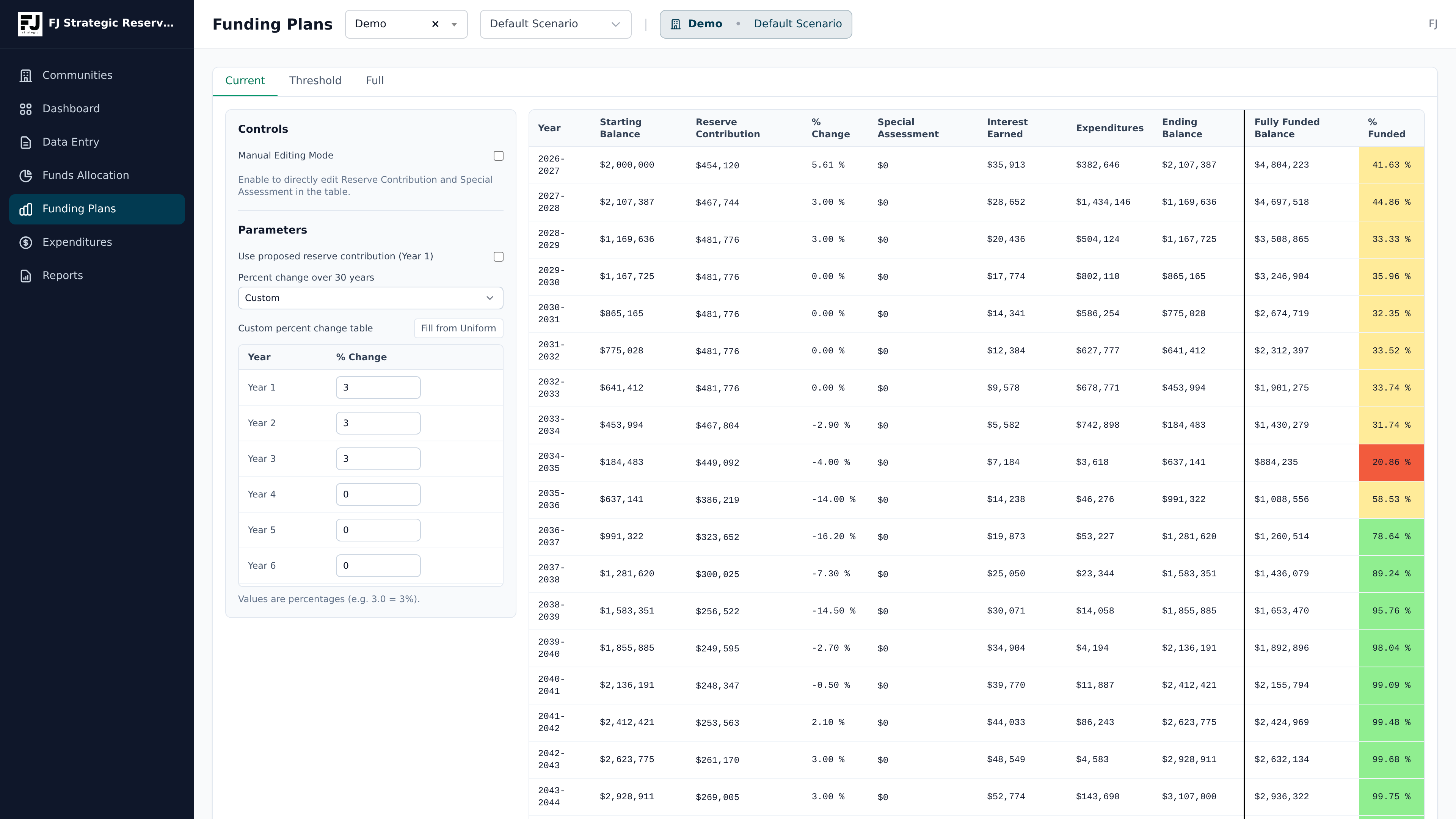
Funding Models
Run Current, Threshold, and Full funding models with long-range projections and assessment impact views.
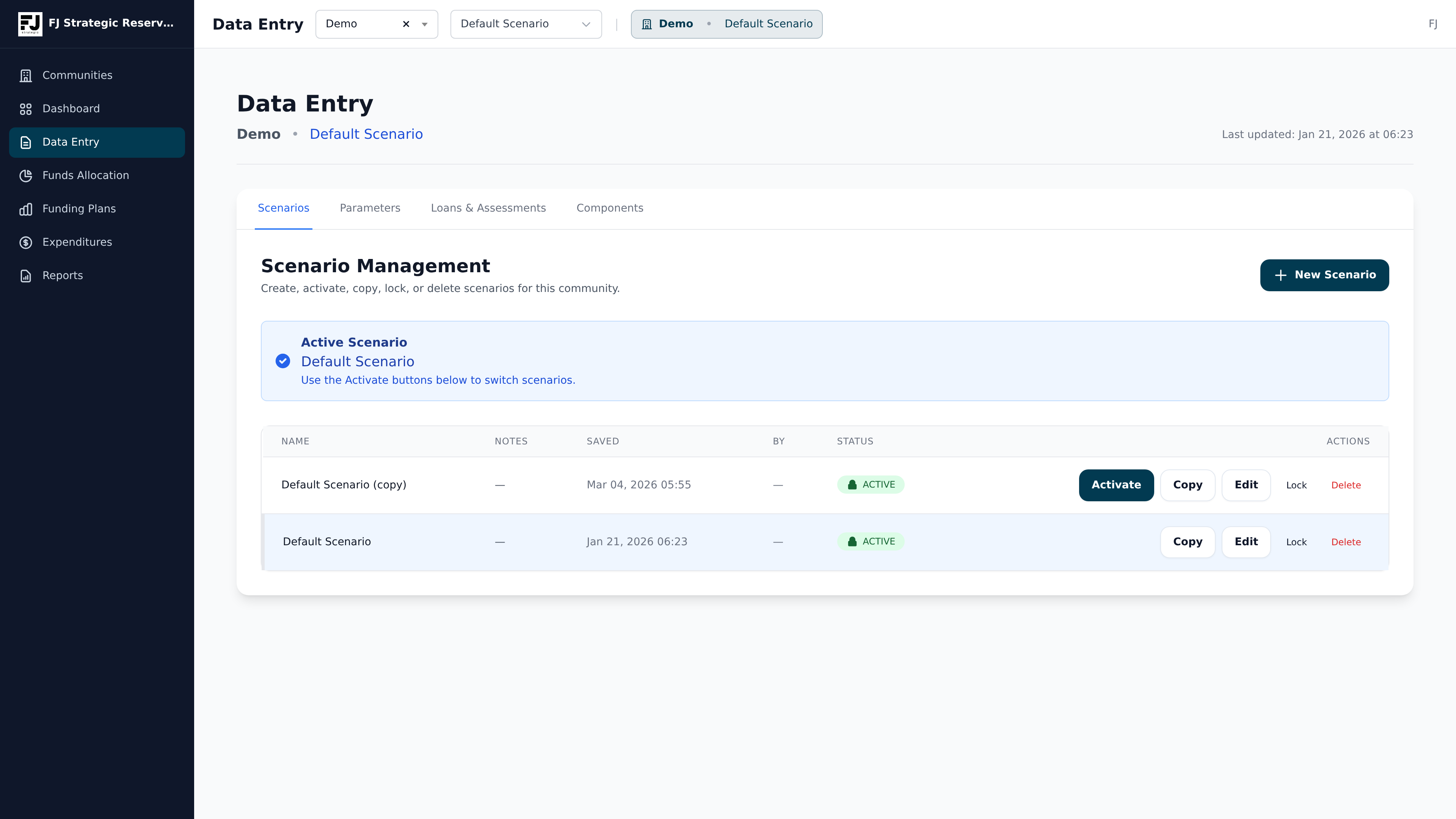
Scenario Modeling
Compare special assessments, loans, inflation, interest, and contribution paths before making funding decisions.
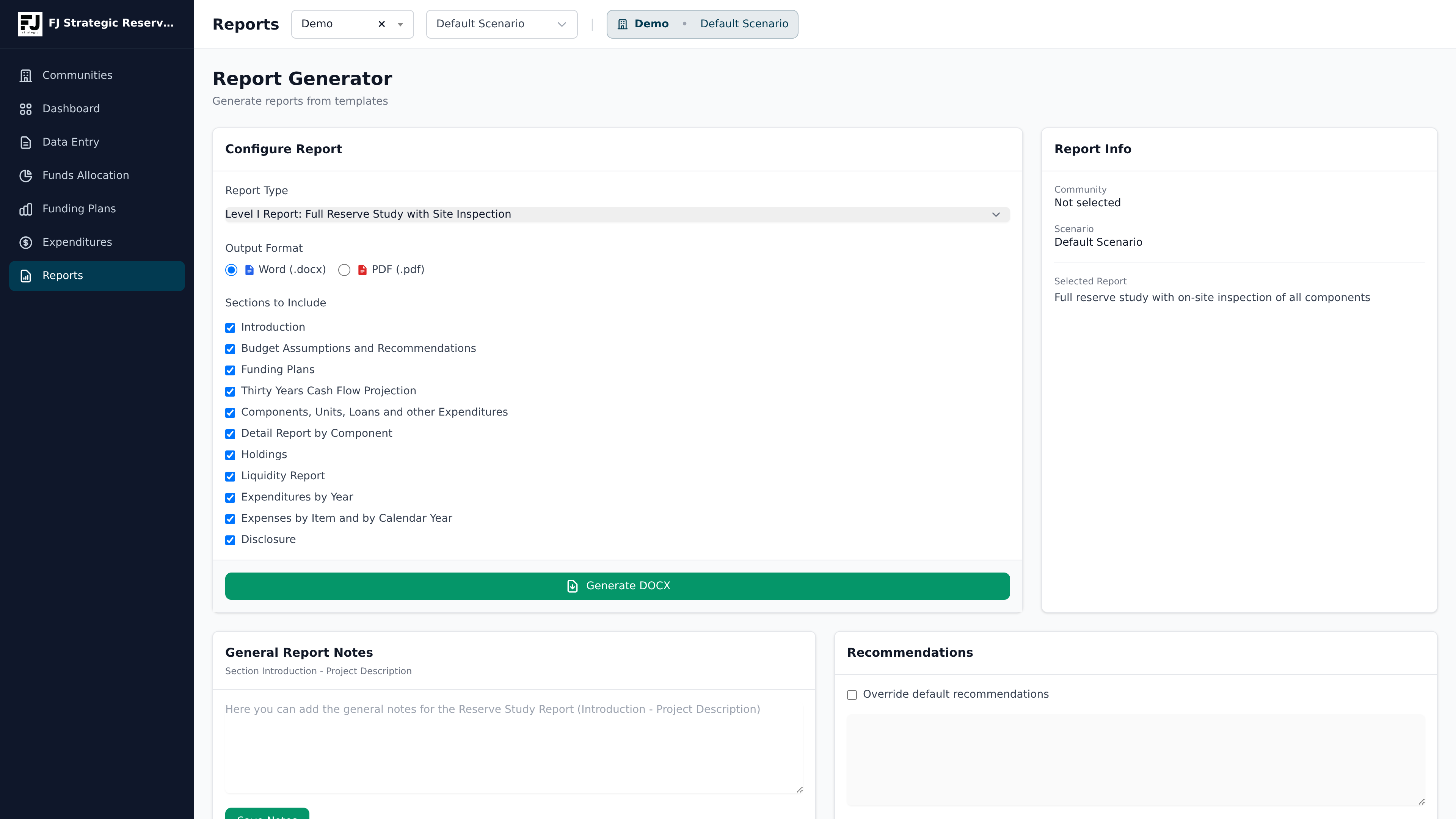
Reports and Disclosures
Generate professional reserve study reports, disclosures, exhibits, and supporting schedules from the same model.
Time-Saving Features for Teams
Tools for firms managing multiple communities, reusable master data, image workflows, catalog references, templates, and client delivery.
Bulk Image Upload
Bulk upload property photos and review AI-assisted component matches from the real app workflow before assigning images.
- Upload images
- AI suggests component matches
- Review confidence scores
- Confirm or reassign images
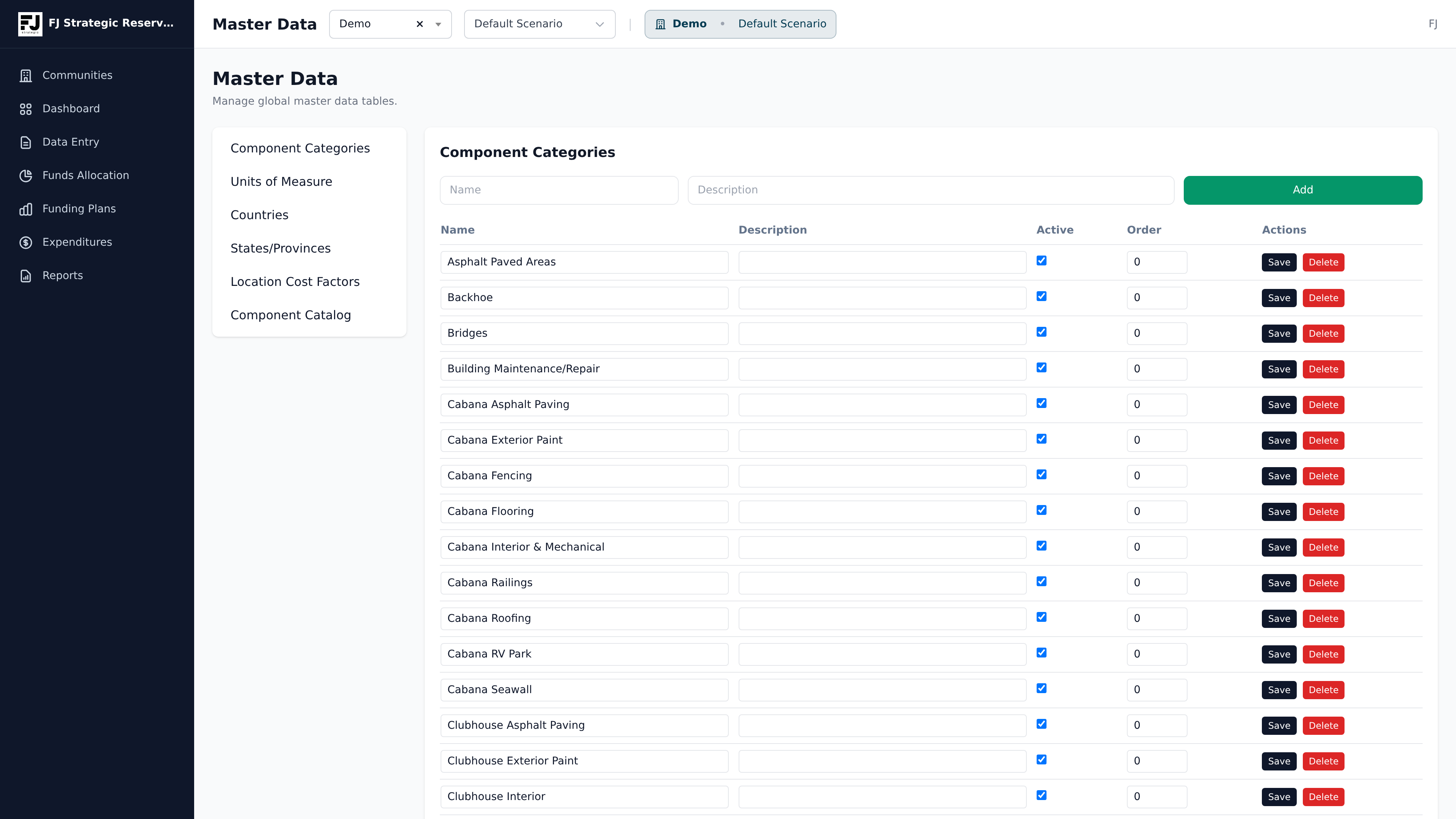
Master Data and References
Standardize reusable component categories, cost factors, notes, and reference assumptions across multiple communities and reports.
- Select a component
- Enter quantity, remaining useful life
- Insert into component list
Multi-Tenant Workspace
Manage multiple associations, users, assumptions, templates, and client workflows from one portfolio workspace.
Compare funding strategies and optimize the long-term impact.
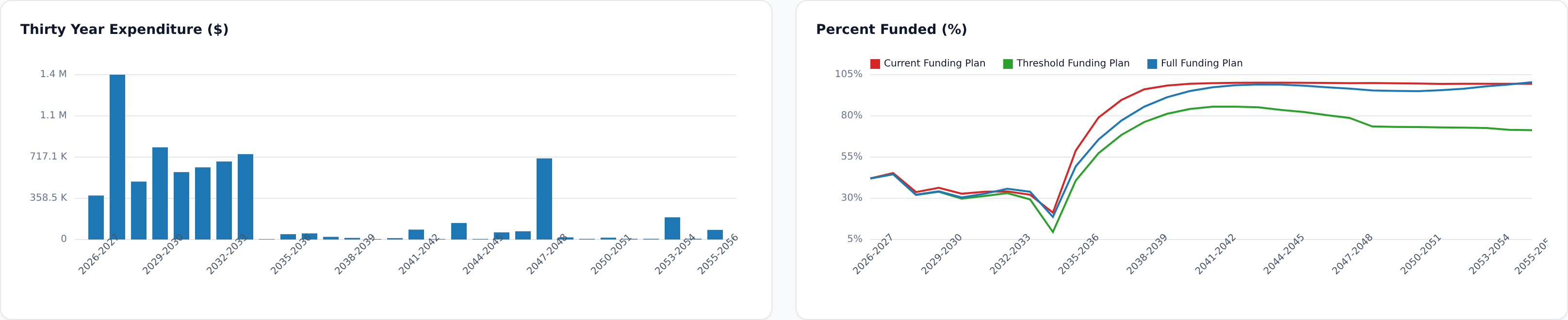
Spot the years that drive funding risk
Use near-term snapshots and 30-year projections to see when major projects hit, where reserve balances dip, and whether the current contribution path could create special-assessment risk.
Funding strategies
If necessary, manually override the automatically generated funding plan.
Differential evolution funding optimization
FJ Strategic uses a differential evolution optimization layer to evaluate contribution paths across funding targets, reserve balance thresholds, contribution smoothness, overfunding caps, and special assessment rules. This allows the system to search many possible funding strategies and identify plans that better balance reserve adequacy, homeowner impact, and long-term financial risk.
Reserve funding is a constrained optimization problem, not just a projection exercise. A technically adequate plan may still create unnecessary contribution volatility, excess reserve accumulation, or avoidable special assessments. FJ Strategic’s optimization layer helps identify strategies that better align the reserve study with board policy, homeowner affordability, and long-term capital planning objectives.
In practical terms, the platform can compare thousands of possible funding paths and surface more stable, defensible funding strategies than a single static reserve calculation.
Financial planning review reports.
Gain deeper insights into your reserve fund to maximize interest income while ensuring fair, transparent assessments. Built for stakeholders who need a clear view of current financial position, liquidity risk, and the assumptions driving long-term reserves.
- Funding plan comparison for Current, Threshold, and Full strategies.
- 30-year cash flow, expenditure, and percent-funded exhibits.
- Liquidity report with reserve contribution, special assessments, total expenditures, interest earned, reserve debt/surplus, rolling two-year need, cash balance, and total liquidity.
- Top holdings grouped by type, name/account number, maturity, or expiration year.
- Evaluate the impact of loans or special assessments.
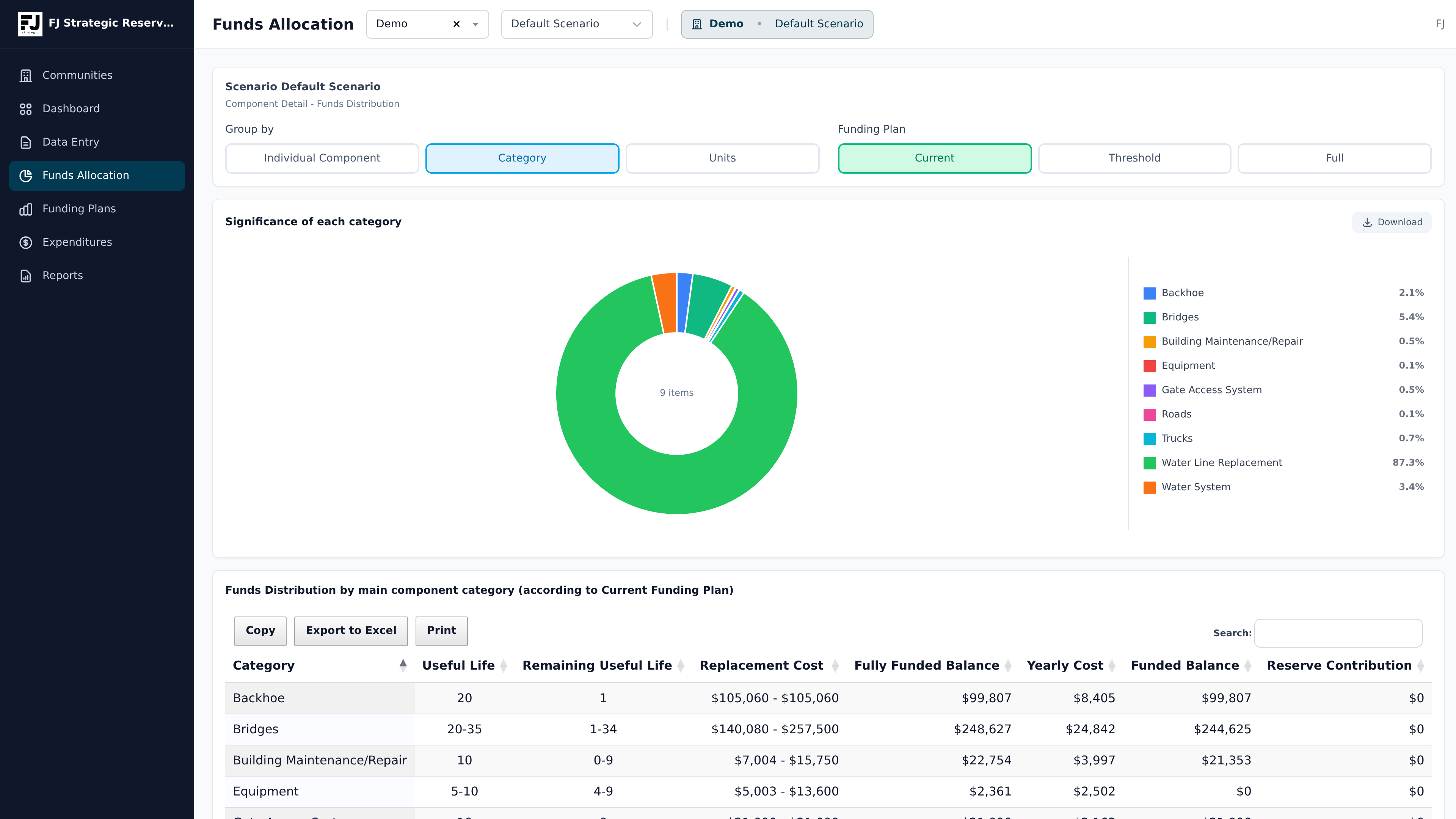
- Fund allocation and component significance summaries that show what drives the reserve requirement.
- Exportable tables and report-ready visuals for board packets, manager review, lender review, insurance discussions, and financial planning support.
Know exactly where every reserve dollar goes.
Analyze fund distribution from the top down to help stakeholders quickly spot large cost centers and prioritize planning conversations.
- Category-level allocation: Group reserve requirements by asset class for a high-level view.
- Component-level allocation: Drill down into individual components, including component IDs and significance scores, to see exactly what drives the reserve requirement.
Build reusable templates, then generate professional reports.
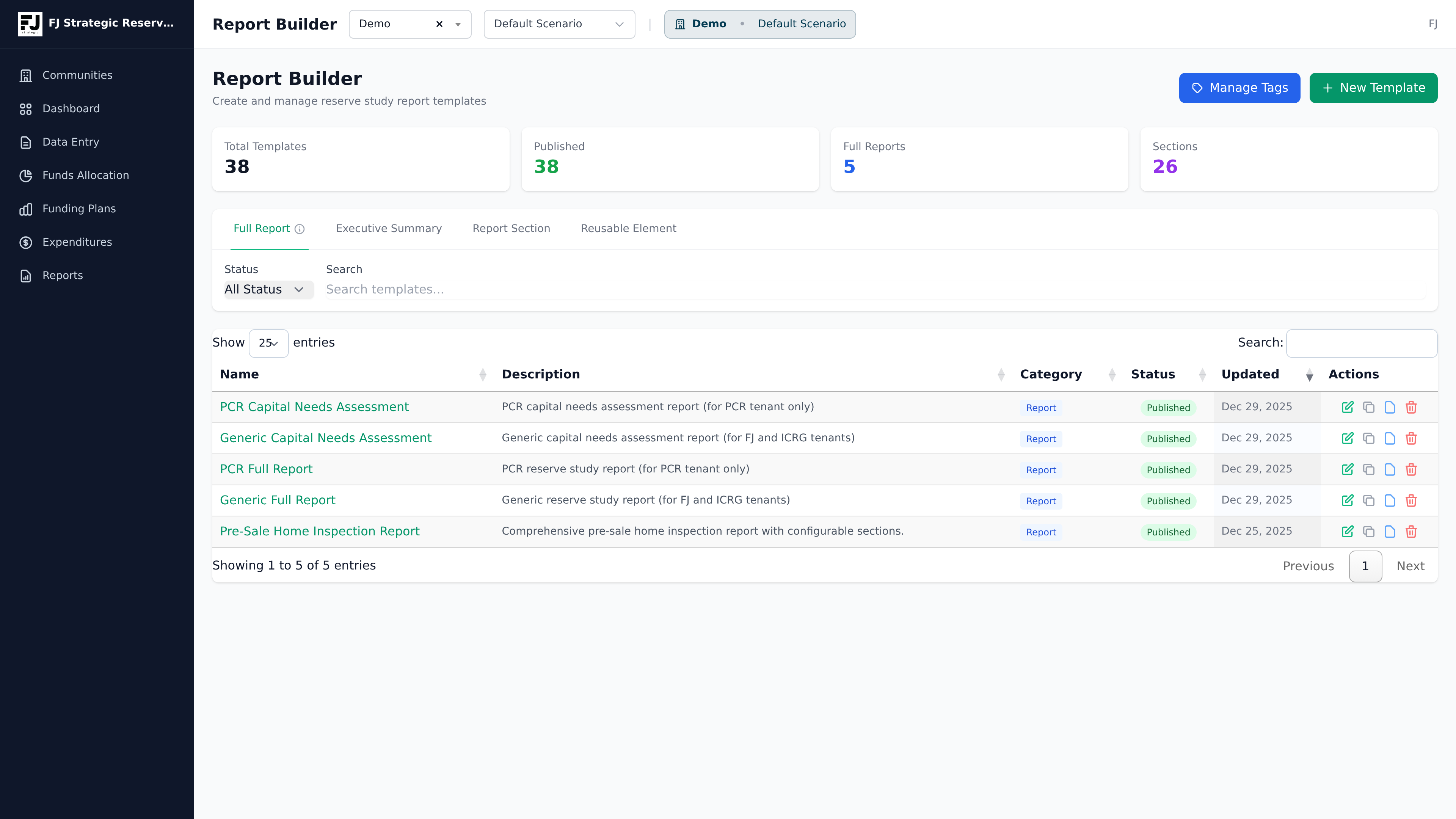
Template builder
Start by creating reusable report templates for different study types, service levels, and client standards. This keeps the structure consistent so teams are not rebuilding the same report framework each time.
Sections and tags
Organize reusable sections for introductions, assumptions, funding commentary, disclosures, exhibits, and recommendations. Tags help the right language and report content flow into the right deliverable faster.
Report generator
Once the template, sections, tags, component data, and funding model are ready, generate a Word or PDF reserve study with fewer manual edits and a more consistent final presentation.
Document hierarchy and management
The report builder uses a modular structure where each tier rolls up to make the final output easier to manage across your portfolio:
- Reusable Element: A specific chart, paragraph, or standard disclosure.
- Report Section: A collection of reusable elements.
- Executive Summary: A high-level grouping of sections designed for board review.
- Full Report: The completely assembled reserve study document.
Because elements and sections roll up into the executive summary and full report, you can update standard language once and have it automatically apply to every template that uses it.
Need help choosing the right path?
If you want software access, start with the software plans. If you need FJ Strategic to prepare a reserve study or inspect the property, request a professional proposal.
Screenshots shown are representative of the FJ Strategic Reserve Study Platform interface and may evolve as the platform is updated.